Superposer features
Everything in the box: play Windows Steam games on your Apple silicon Mac from the Steam app you already use, with upscaling, a performance HUD, controller support and a clean undo.
The same list is under Settings › About in the app. Cards marked Preview are built and still being verified in more games, and may change.
Everything in the box
One Steam, no bottle
Install and play Windows games in the Mac Steam app itself. No second Steam to log in to; cloud saves, achievements and playtime come along.
Tested, not guessed
One-click hidden tests check that a game launches and renders on your Mac, without taking over your screen. Or test your whole library at once.
Undo anything
Every change Superposer makes to your Mac is recorded with an undo. Uninstalling leaves no trace, apart from Steam's own caches.
A compositor in every game
MetalFX upscaling, HDR, a frame cap, an in-game panel and screenshots, with a switch per game. In Windows games, and in Mac games where it's safe.
Play
Everything included
Its own Windows runtime, installed by the app: no Terminal, no Homebrew, no other licence to buy.
Steam features come along
Achievements, cloud saves and playtime work with the Mac Steam client you're signed in to.
Mac versions stay native
Games you buy later are set up before they install: Mac versions install natively, Windows-only games get Superposer.
Cutscenes play
Intros and cutscenes in H.264, HEVC and AAC play, decoded by Apple's own frameworks.
Fast first launch
Each game's Windows environment is cloned from a ready template, so setting one up takes about a second.
Look & performance
Sharper at any size
Render lower and upscale with Apple's MetalFX for more frames, or downscale to a window with a clean area filter.
A frame cap that holds
Paced to your display, ProMotion included, and steady within 2%: cooler, quieter, smoother play.
HDR tuned to your display
HDR games keep their format, and highlights roll off into the headroom your screen has right now.
Works with protected games
Where code can't be loaded into a game, Superposer captures its window instead, so upscaling and screenshots still work. It never bypasses anti-cheat.
A HUD that shows why
Five HUD levels, from FPS to CPU and GPU temperatures, power and clocks, with no cost when it's off.
A real window, any resolution
Pick a resolution and the game plays in a normal Mac window that moves, resizes and lets go of your mouse.

Confidence
Will it work? With evidence
A verdict for each game with the evidence behind it, and a Compatibility list of every game we've tested, with your own results beside ours.
Fixes ready to go
Per-game fixes for known games, and a drafted setup for the rest based on their engine and graphics API.
The right version for each game
Keep a game on the runtime and D3DMetal version that suit it, with its test result on each, and turn on what it needs: DLSS upscaling, AVX, high resolution, the Metal HUD.
Safe problem reports
See exactly what a report would send, with your name and paths removed. Nothing goes without your OK.
Your Mac stays clean
One game, one environment
Each game has its own Windows environment, so one can't break another, and removing it gives back only its space.
Cleans up after itself
Old runtimes and caches are pruned automatically, keeping whatever your games still use.
Polish
A real Mac app
Native and lightweight: no Electron, no virtual machine.
Make it yours
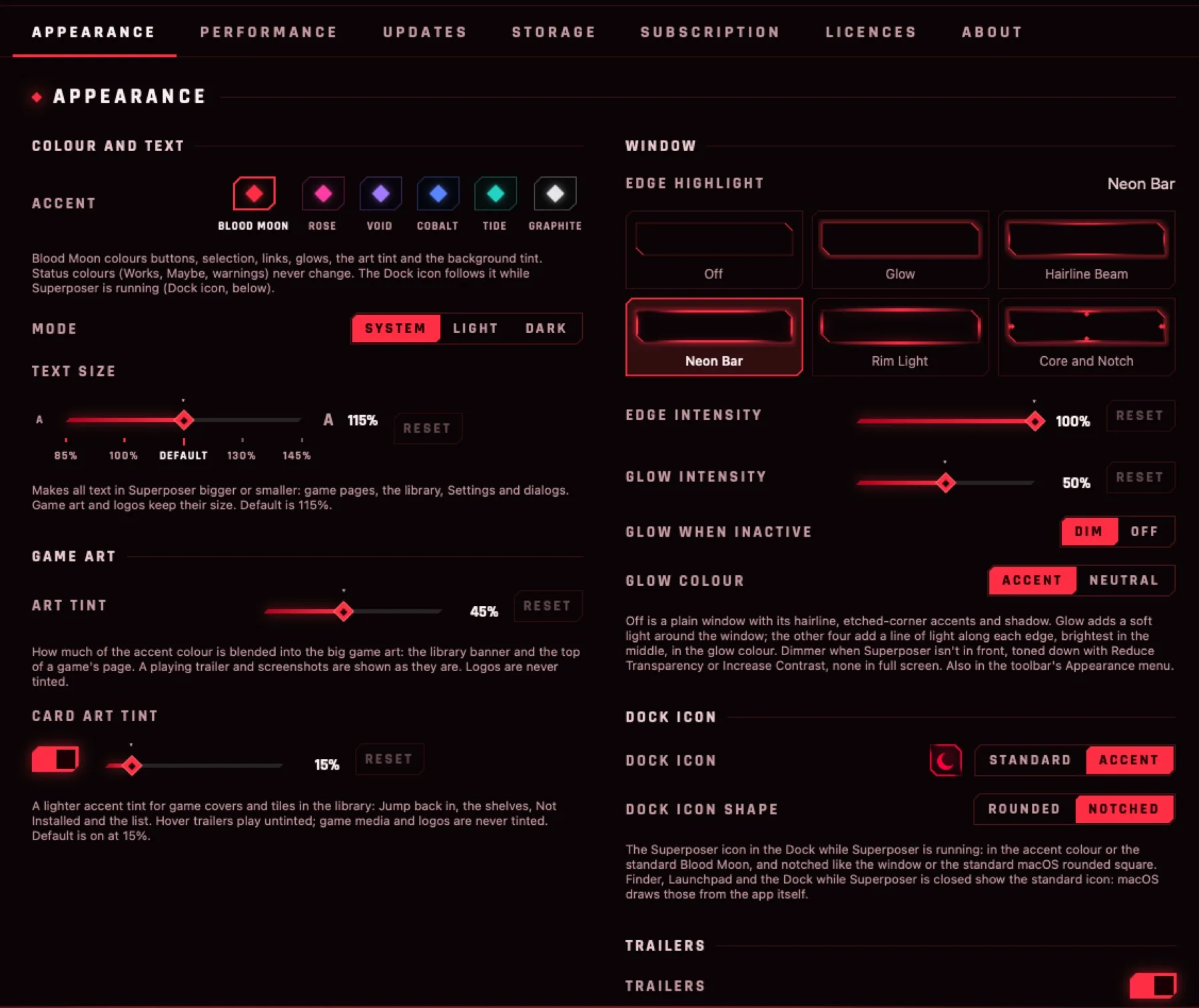
A game-library look with six accent colours, light and dark, and adjustable text size.
Trailers and media
Trailers, screenshots and a media ribbon for the games in your library.
You see it start
From Play to the first frame, the game's art shows it's on its way, even when a game takes a while.
Not sure a game will run? See what works or join the beta waitlist.